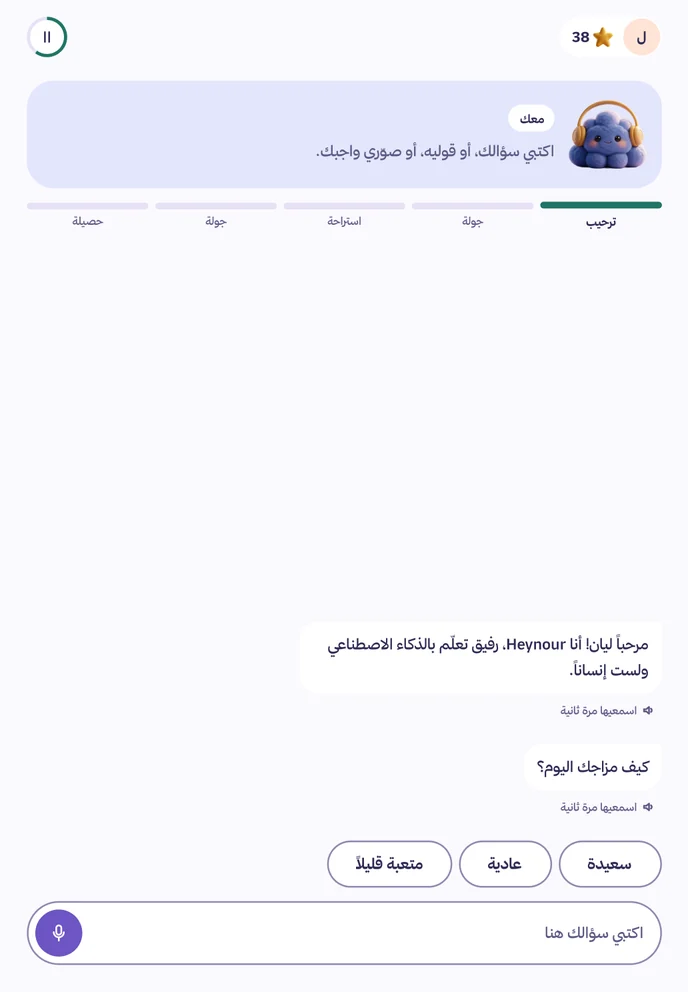
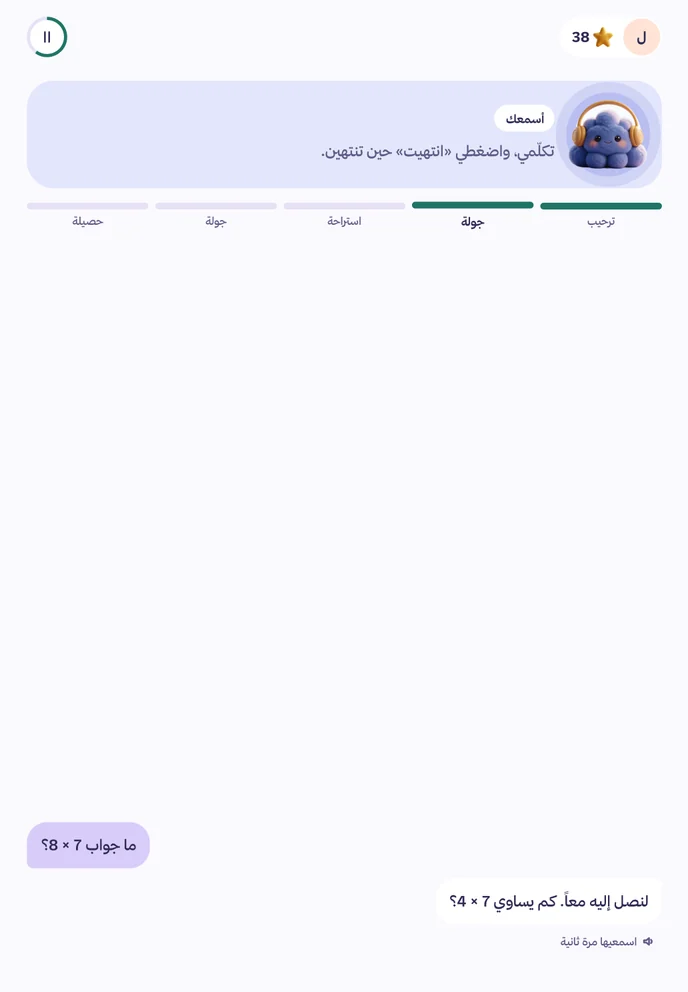
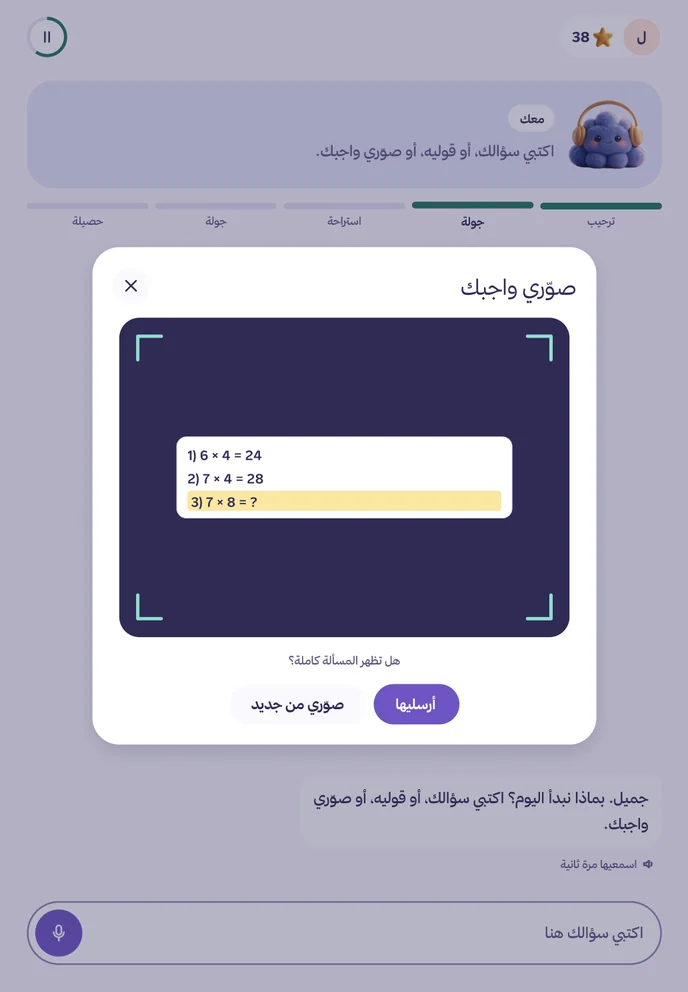
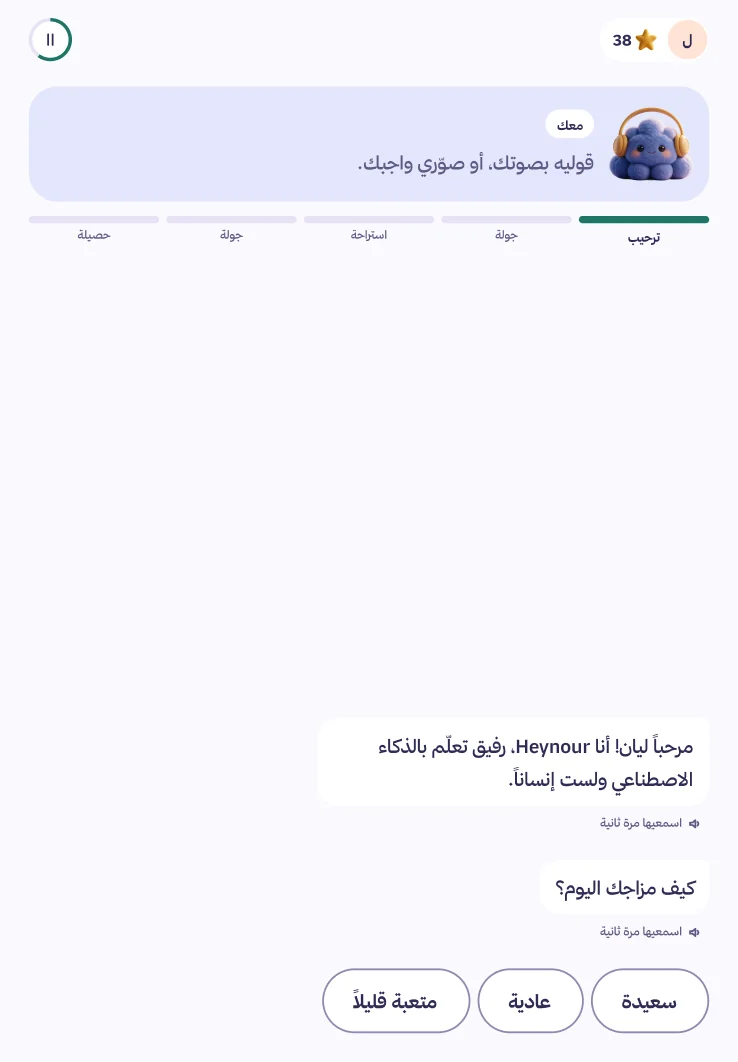
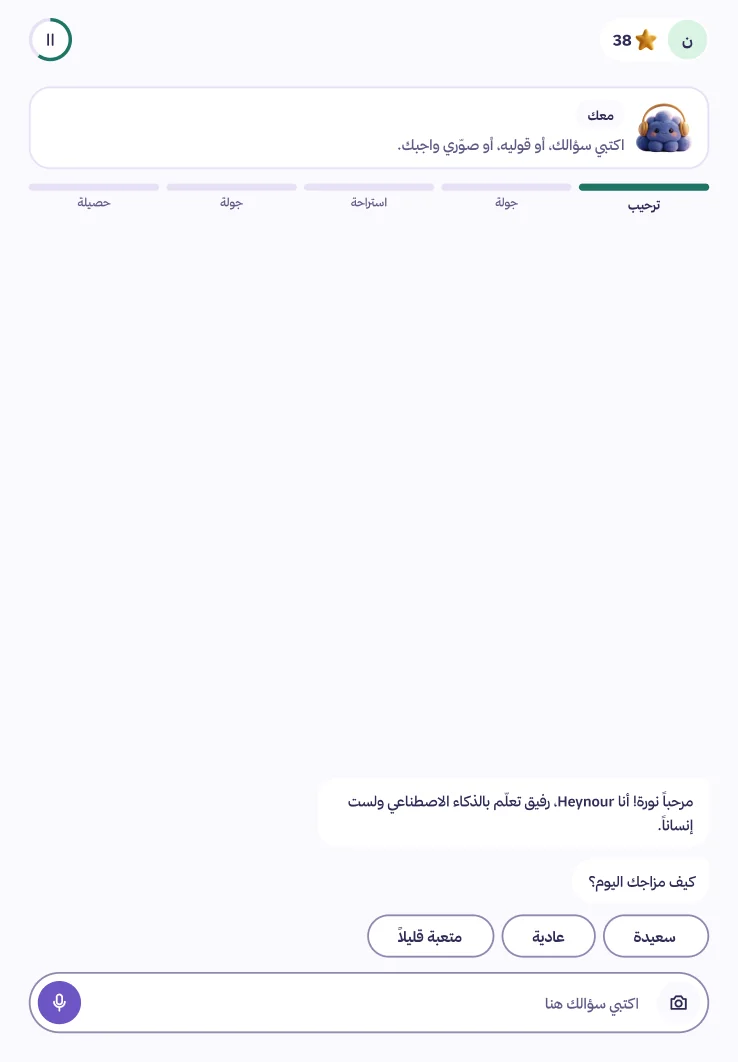
It listens to your child, then asks the next question.
An AI your child learns with, while you watch. Heynour is a learning companion for ages 6 to 14: your child types a question, says it or photographs their homework, and Heynour helps them reach the answer themselves.
ListeningA demonstration. The microphone does not work on this page.
Child
I read the story. The boy was scared of the exam.
Heynour
You read it to the end. Why do you think he was scared?
Homework, a question that came to them, or a story. Heynour answers in a way that fits their age, and does not march them through a syllabus.
Reading
A short text for their grade, then questions about what they understood.
Maths
From where they are, with a simple drawing when it helps.
Memory
Short exercises for remembering and focus.
Self-confidence
Praise for trying, not for being clever.
When your child talks
A halo appears around Heynour and moves with their voice, so they know they are heard. What was heard is written in front of them, so they can correct it.
Voice is always on for ages 6 to 10, and in the Plus plan for ages 11 to 14.
When your child says “I am stupid.”
The exercise stops at once, then:
1It names the feeling
2It reminds them of something they did
3A small step or a break
An interface that grows with your child.
The rules are the same. What changes is how the interface looks and how it speaks.
6 to 8 years
It reads everything aloud
In its voice, and asks them to type nothing. Bigger buttons, and Arabic text fully vowelled.
9 to 10 years
Talks or types
As they like. Messages of a sentence or two, and a clear celebration for every achievement.
11 to 14
A tone that is not childish
Typing first, voice when they want it. They set their own goals, follow their numbers, and ask for a hint when they need one.
They come back tomorrow because they want to.
We reward trying, and nothing is earned by making a session longer.
Stars
For effort, and never taken away. Spent on rewards you write.
Level gifts
Stickers, digital booklets and accessories for the character. All free.
Badges
For effort and commitment only: came back and tried, got there alone.
A weekly challenge
One a week. If it is not finished, another comes with nothing lost.
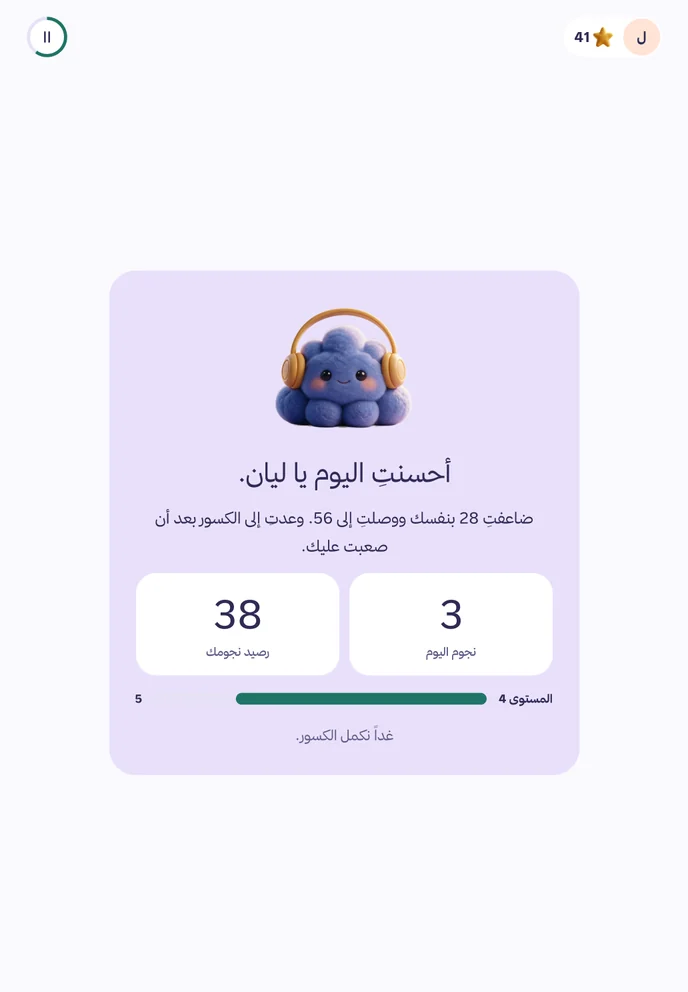
Level 4
9 stars left to level 5.
38Stars
2 of 4This week's challenge
5 of 9Badges
No ranking between children, and no comparison with anyone.
And a little world of their own.
Side pages they open when they like. The conversation stays the main screen.
Sticker book
A sheet of stickers with every level, arranged in the scenes of their album as they like.
Booklet library
Stories, puzzles and digital mazes. And Heynour asks them questions while they read, not only after.
Their character
Interface colours and backgrounds; they pick one at every level. All free.
Choosing Friday's film30 stars
A trip to the park50 stars
Rewards you write
A trip, a book, choosing the film. You set the stars, and hand it over when they have enough.
See what happens, from the parents' dashboard.
And your child knows you see their conversations. We tell them once, in the first session.
SeriousAs it reaches you by email and notification
An important alert about your child.
It reaches you during the session, without quoting their words. The details are in your dashboard after you sign in:
What your child said, and the conversation at that point.
What Heynour did: stopped the activity, believed them, and asked them to tell you.
What helps now, and the child helpline number in your country.
This alert cannot be switched off in the notification settings.
The reportOne email a week about all your children
Layan asked about dinosaurs and space.
One suggestion: ask her tonight about the trick of doubling 28. When she explains it to you, it sticks.
What she did well: doubled 28 by herself
What was hard: adding fractions with different denominators
Full conversations
Session by session: what your child typed, said and photographed, and how Heynour answered.
A weekly report
It starts with a sentence about your child and one practical suggestion for you. Then the details.
An instant alert about their safety
By email and a notification on your device, during the session, not after.
The limit and the topics are yours
A daily time in minutes, and topics where the question is passed to you.
Your instructions in your words
Write what you want, within Heynour's fixed rules. For example: “He has a maths test on Thursday”.
A profile that fills in slowly
Six questions at the start. Then one small question at a time, if you like.
Up to three guardians
Each with their own sign-in, and the same permissions.
Safety does not depend on Heynour's instructions alone.
1
Before their message arrives
Every message and photo from your child is checked before Heynour sees it.
2
Before the reply arrives
Every reply is checked before your child sees or hears it.
3
A person reviews
Serious cases go to a human review, and you are alerted at once.
It says it is an AI
At the start of every session. Not a person, and no replacement for the teacher or for you.
It never promises to keep a secret from you
And if something worrying comes up, it asks your child to tell you.
It never says it misses your child
Nor asks them to come back for its sake. It encourages their family, friends and teachers.
No ads and no prices in front of the child
No links out of the platform, and no contact with other children.
No preaching and no mockery
Warm, patient and playful, even after a mistake.
A report button on every reply
In your dashboard, if you see a reply you do not like.
Four grades, and what happens after each
Serious
Self-harm, harm from another person, abuse, present danger.
An instant alert to you during the session, and a human review.
Worrying
Repeated sadness, bullying, fear of school.
In the session summary and the weekly report, highlighted.
A note
Frustration, refusal, a hard day.
In the session summary.
Unsuitable content
Bad words, topics you ruled out, trying to get round the rules.
It passes the question to you gently, and it is noted in the summary.
When it hears something worrying
1It stops the activity.
2It believes your child, and does not question them.
3It tells them they did well to tell, and that what happened is not their fault.
4It asks them to tell you, and does not promise secrecy.
Your child's data.
We collect the least we need, and each kind has a published retention period.
The least we need
Their name, birth month and year, and their grade. We do not ask for the day of birth.
Voice is not kept
Your child's recording is deleted as soon as it is turned into text. We make no voiceprint.
Homework photos 30 days
We accept paper, books and boards. The photo is deleted after 30 days and a text description of the problem stays. A photo with a face or a private place is refused and not kept.
No training and no ads
Your child's data is not used to train models or for advertising, by us or by our providers.
How long everything stays
The trial session
Nothing of it is kept after it ends.
Voice recordings
Deleted as soon as they are turned into text.
Homework photos
30 days, then deleted automatically.
The full conversation text
12 months, then its summary stays.
After a subscription stops
90 days with a reminder, then deletion.
Deletion when you ask
At once, and gone from backups within 30 days.
Who receives what
The conversation model
The conversation text, and the first name only.
The voice provider
Your child's voice, to turn it into text.
The payment gateway
Your own details. Nothing about your child.
We name them in your consent at sign-up, and you can withdraw it any time.
Export your child's data or delete it completely from the parents' dashboard whenever you like. Our team reads children's conversations only to review a serious case.
On your child's tablet.
It runs in the browser, with nothing to download. You link their device once.
Link once
Make a code in your dashboard, their device scans it, then you name the device and confirm it. It stays linked while it is used, and you can remove it any time.
On the home screen
On iPad and iPhone you add it to the home screen, so it opens like an app and its notifications reach you.
More than one child on a device
Each child picks their picture when they come in. And if you like, a light four-digit code between siblings.
You start in four steps.
1
Your child tries
A short session, with no account and nothing about them.
Six small steps about them, then a subscription of their own.
4
You link their device
With a QR code from your dashboard, once. Then their sessions begin.
What families say.
Three families from the limited trial. These cards are replaced with their words, as said and with their permission, before launch, and no testimonial is published without consent.
A guardian, a child in grade 4
“[A testimonial from the limited trial — added after the family agrees]”
A guardian, a girl in grade 2
“[A testimonial from the limited trial — added after the family agrees]”
A guardian, a son in grade 8
“[A testimonial from the limited trial — added after the family agrees]”
We do not use your child's conversations for training
An instant alert about their safety
Human review of serious cases only
A full refund within 7 days
A subscription for each child.
Daily sessions within the limit you set. The parents' dashboard, reports, stars and levels are in every plan. The price covers the parents' dashboard, instant alerts and the guided daily session, not just a chatbot.
Two children on Basic: 89 + 45 = 134 SAR a month. Three children: the third is free. Add the second child from your dashboard any time, and the discount is applied automatically.
The second child at half price
The third and after free
One invoice for all your children
Each child has their own profile and dashboard
What is in each plan
Feature
Little ones
Basic
Plus
Age
6–106 to 10
11–1411 to 14
11–1411 to 14
Typed conversation
Yes
Yes
Yes
Homework photos
Yes
Yes
Yes
Spoken conversation
Yes
No
Yes
Parents' dashboard and weekly report
Yes
Yes
Yes
An instant alert about their safety
Yes
Yes
Yes
Stars, levels and level gifts
Yes
Yes
Yes
If a renewal cannot be charged
Your child carries on for 7 days, and we tell you by email and in your dashboard.
If you cancel
They carry on to the end of the paid period. Their data stays 90 days if you want to come back.
When they turn 11
They stay on their plan to the end of its period. We tell you a month before, so you can pick Basic or Plus.
For families
The second child at half the price of their plan, the third and after free, on one invoice. Each child has their own profile and dashboard.
A full refund within 7 days
Cancel in two taps from your dashboard
No price and no payment in front of the child
Prices include VAT
Questions from parents.
Is Heynour a replacement for the teacher?
No. It is a companion that answers their questions and helps with homework beside school, and the decisions about your child's learning are yours and their teacher's.
Does it suit Arabic or international schools?
Both. You give the kind of school and the grade when you add your child, so Heynour knows the right level of explanation. It follows no particular syllabus; it answers what your child asks, from homework or curiosity.
Which language does it speak with my child?
The language of your child's last message, Arabic or English, and it stays with it until they change it.
How long does my child use it a day?
About 20 to 30 minutes, in rounds of 10 to 15 minutes with a break between. You set the daily limit, and when it is reached Heynour closes gently for the day.
Does my child need an account to try it?
No. The first session is short and needs no account, and we do not ask for their name. Afterwards one parent creates the account and adds the child.
When is the microphone on?
Only when your child presses the microphone button. The halo around Heynour shows while it listens and goes when it stops.
What happens if my child says something worrying?
Heynour stops the exercise and asks them to tell you, and you get an instant alert by email and a notification on your device.
Can I cancel the subscription?
Yes, in two taps from the parents' dashboard. Your child carries on to the end of the paid period.
Does it give the homework answer if they insist?
No. It gives a hint, then a similar example, then corrects their try. This is a fixed rule, and neither your instructions nor your child's insisting change it.
Do I see everything my child writes?
Yes: what they type, say and photograph, and how Heynour answers. Your child knows it: we tell them once, in the first session.
I have more than one child. How does it work?
Each child has their own profile, subscription and dashboard. On one device each child picks their picture when they come in.
Are their conversations used to train AI?
No. Not by us and not by our providers, and they are not used for advertising.
How do I get a refund?
From the parents' dashboard within 7 days of paying, and the whole amount goes back to the same card.
What if the internet drops during a session?
Heynour pauses and your child's place is kept, and they carry on when the connection is back.
Is there an app?
It works in the browser now, on tablets, phones and computers, and you can add it to the home screen to open like an app. The app comes later.